
You are lying in bed at 2:00 AM when a sudden thump echoes from the back deck, sending a rush of adrenaline straight to your chest. That creeping feeling of vulnerability is exactly why so many homeowners start researching a DIY home security setup the very next morning. It is frustrating to realize your property is completely unmonitored while you are asleep or away at work, leaving packages exposed on the porch and ground-floor windows unguarded.
The good news is that securing your perimeter has never been more straightforward, and the team at Main Line Sound & Video is ready to help you navigate the options. In this guide, we will break down exactly how modern wireless systems operate, evaluate the real financial costs over time, and highlight the potential vulnerabilities you need to anticipate.
Upgrade Your Property's Protection
Discover reliable smart alarms, cameras, and sensors to protect what matters most.
Key Takeaways
- Upfront Savings: Purchasing self-installed hardware eliminates hefty professional installation fees, though initial equipment costs can add up quickly.
- Flexible Setup: Wireless home security systems rely on Wi-Fi and battery power, allowing you to easily move hardware without drilling into drywall.
- Smart Home Integration: Modern security kits easily sync with automated lighting and smart locks to create an active residential deterrent.
- Ongoing Responsibilities: Self-monitored security puts the burden of responding to mobile app monitoring alerts directly on the homeowner during an emergency.
Decoding Modern DIY Home Security Systems

The core mechanics of residential protection have completely changed over the last decade. Instead of relying on a hardwired traditional landline to communicate with a dispatch center, these systems use your home Wi-Fi network and cellular backups. A modern DIY home security kit typically consists of several core devices to secure your property. These essential components include:
- Central Hubs: The main base station that connects all your local devices to the internet.
- Perimeter Sensors: Battery-powered contacts that detect when a specific door or window opens.
- Motion Detectors: Infrared sensors that monitor open rooms and hallways for unexpected movement.
- Camera Systems: Video devices that record activity on your porch or driveway.
This wireless approach hands total control directly over to the homeowner. You can arm, disarm, and monitor your entire property straight from a mobile application on your phone.
Financial Realities of Upfront Investment Versus Ongoing Fees

Budgeting for a security system subscription costs more than just the initial price tag on the box. When you buy equipment outright, you avoid the lengthy multi-year contracts that traditional security companies require. However, you still need to factor in the total cost of ownership over a typical three-to-five-year window. Many self-managed systems offer a tiered approach to monitoring and video storage. You should budget for these specific categories:
- Equipment Purchases: You pay full retail price for every smart lock, camera, and sensor up front.
- Subscription Tiers: Many companies offer basic self-monitoring for free, but charge a monthly fee to save recorded video clips or activate professional dispatch.
- Hidden Expenses: Watch out for unexpected activation fees or premium app features locked behind a paywall.
Navigating the Physical Setup and Technical Configuration Process

The appeal of the best wireless security kits lies in their straightforward, tool-free installation. Most door and window contact sensors use strong peel-and-stick adhesive, meaning you can secure your perimeter in under an hour. The central hub guides you through the synchronization process via audio prompts or step-by-step mobile app instructions.
However, physical setup is not always perfect, and homeowners frequently battle Wi-Fi dead zones or signal range limitations on larger properties. To maximize effectiveness, our appliance and electronics installers always recommend mounting outdoor cameras exactly nine feet off the ground and angling them slightly downward. This exact height captures clear facial details while preventing blinding sun glare. Proper placement also heavily reduces security system false alarms triggered by neighborhood pets or passing cars.
Connecting Alarms with Automated Lighting and Door Locks
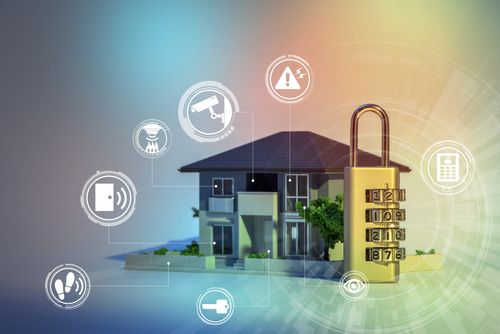
A major advantage of building your own alarm network is the ability to tie it into a broader home automation security setup. Your central hub often acts as the brain for other devices, communicating via wireless protocols like Z-Wave and standard Wi-Fi. This integration means your security system does not just alert you to danger; it can actively respond to it. You can connect your base station directly to:
- Smart Locks: Automatically bolt your front and back doors the moment the security alarm is armed.
- Automated Lighting: Trigger all exterior floodlights to turn on instantly if a motion sensor trips at night.
- Voice Assistants: Allow you to check your system status or arm the perimeter using simple vocal commands.
Creating Smart Automation Rules
You can program these devices to trigger a chain reaction when an intruder is detected. If a backyard motion sensor trips at midnight, the system can instantly illuminate the yard and lock all entry points. Linking your system to popular smart ecosystems provides daily convenience while fortifying your physical boundaries.
Security Vulnerabilities and Reliability Concerns to Anticipate

Relying entirely on a self-managed setup requires a proactive approach to maintenance and troubleshooting. Your DIY home alarm setup is heavily dependent on your local internet connection and standard household electricity. If a heavy storm knocks out your power or your router unexpectedly resets, your home could be left vulnerable.
To combat this, most quality base stations include a 24-hour backup battery and a cellular failover chip. This cellular connection keeps the system communicating with your phone even when the Wi-Fi is completely dead. We highly recommend testing your entire system, including all sirens and backup batteries, at least once a month to verify everything is fully operational.
Side-by-Side Evaluation of Self-Managed Versus Monitored Protection
| Feature | Self-Managed (DIY) | Professionally Monitored |
|---|---|---|
| Upfront Cost | You purchase all equipment at full retail price immediately. | Equipment is often subsidized or provided for free in exchange for a contract. |
| Monthly Fees | Costs are minimal or entirely optional depending on video storage needs. | You pay a mandatory premium monthly fee for 24/7 dispatch services. |
| Installation | You install everything yourself using simple adhesives and basic tools. | A trained technician hardwires the system and configures the network for you. |
| Relocation | You can easily pack up the sensors and take them to a new house. | Moving the system usually requires a technician and a new service agreement. |
| Smart Home Compatibility | Systems easily integrate with popular voice assistants and smart locks. | Integration is often locked to the provider's specific proprietary hardware. |
| Customer Support | You rely on online forums or basic phone support for troubleshooting. | You receive priority on-site service calls if hardware fails. |
The Pros and Cons of a DIY Home Security System
Determining if a self-installed alarm network is the right choice requires looking past the marketing materials. Homeowners must balance the massive financial savings against the reality of becoming their own security manager. Here is a realistic look at the benefits and drawbacks.
Pros
No Long-Term Contracts:
You are free to cancel or pause your monitoring services at any time without paying hefty termination fees.
Expandable Ecosystems:
Homeowners can buy a starter kit today and slowly add more smart doorbell cameras and window sensors as their budget allows.
Privacy Control:
You have total authority over who has access to your live video feeds and internal microphone recordings.
Renter Friendly Setup:
The wireless, peel-and-stick nature of the components means you will not lose your security deposit over drilled holes in the walls.
Cons
Self-Reliant Emergency Response:
If an alarm triggers while you are sleeping or out of cellular range, nobody is going to dispatch the police for you.
Troubleshooting Burden:
If a camera goes offline or a sensor refuses to pair, you have to spend your own time acting as tech support to fix it.
Securing Peace of Mind with Main Line Sound and Video
Choosing between professional installation vs diy ultimately depends on your budget, technical comfort level, and desire for long-term flexibility. While building your own kit offers great customization, handling the setup alone is not always the best fit for every household. Modern wireless security provides incredible tools, but maximizing their potential requires proper planning.
At Main Line Sound & Video, we provide expert showroom guidance to help you select the perfect security components for your exact property layout. Skip the frustrating trial-and-error and let our experienced local team handle the professional installation and ongoing customer service. Visit our store today to secure your property with absolute confidence.
Frequently Asked Questions About DIY Home Security
Self-installed security systems are just as effective at detecting intruders, provided the sensors are placed correctly and maintained regularly. The main difference is that a professionally monitored setup automatically calls emergency dispatchers, whereas a self-monitored system relies on you to see the phone alert and call for help.
Yes, you can easily take your wireless security equipment to a new residence. Because the sensors use double-sided tape and connect to your personal Wi-Fi router, you simply pack them up in a box and stick them to the doors at your new home.
A self-managed security system will lose its ability to send alerts to your mobile phone if your local internet goes down. However, many quality base stations feature cellular backup chips that automatically kick in to keep the connection alive during an outage.
You do not strictly need professional assistance to install outdoor security cameras, as most modern models use simple mounting plates and rechargeable batteries. However, hiring an expert is highly recommended for hardwired floodlight cameras to handle the high-voltage electrical connections safely.
There are often hidden monthly subscription fees attached to wireless security kits if you want to store video clips in the cloud. While basic live-streaming and push notifications are usually free, saving home security camera installation footage for the police requires a paid monthly plan.
You can prevent false alarms by purchasing motion sensors that feature built-in pet immunity technology. These specialized sensors are explicitly designed to ignore the heat signatures and movement patterns of animals weighing under 40 to 85 pounds.
Why Trust Main Line Sound & Video?
When it comes to designing and installing home entertainment and smart home systems, trust is essential. Main Line Sound & Video has built a reputation for reliability and expertise throughout the Main Line and surrounding areas. As a family-owned business with over 20 years of experience, they prioritize personalized service, ensuring each system is tailored to your home and lifestyle. Their team of certified professionals uses top-quality products and industry best practices, delivering flawless installations and ongoing support. From initial consultation to system optimization, Main Line Sound & Video combines technical expertise with a commitment to customer satisfaction you can depend on.