
Your home network setup is the central nervous system of your household, but getting it wrong leads to frustrating dead zones and endless buffering. Today's households demand heavy bandwidth for streaming, working, and gaming simultaneously. When the system fails, daily routines grind to a halt.
Fixing these bottlenecks requires more than just resetting the modem. At Main Line Sound & Video, our appliance and electronics experts know exactly how to diagnose connectivity issues and design robust systems. We replace weak signals with reliable speed.
This guide covers the most common home network mistakes slowing down your devices. Expect practical router placement tips, insights into ethernet cable selection, and network security best practices to protect your data.
Upgrade Your Connection Today
Experience faster internet and total property coverage with professional networking solutions from Main Line Sound & Video.
Key Takeaways
- Swap basic ISP hardware for a high-performance mesh wifi system setup.
- Centralize your router away from physical barriers to prevent wifi dead zones.
- Hardwire heavy-bandwidth devices using Cat6 or Cat6a cabling for maximum stability.
- Isolate smart devices on a dedicated guest network to protect your main data.
Mistake 1: Relying on Basic ISP-Provided Hardware
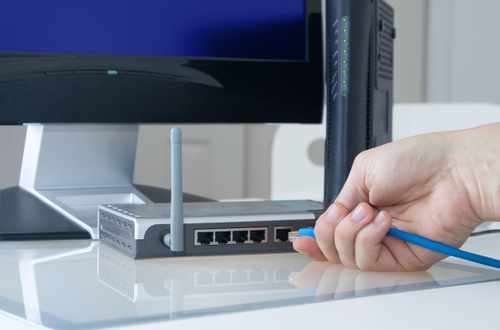
Many homeowners start their home network setup by simply plugging in the standard all-in-one box provided by their internet service provider. These basic devices struggle to handle modern, device-heavy households. They fail to process high-bandwidth activities efficiently, resulting in severe bandwidth throttling.
The solution is separating the modem from the router. Upgrading to dedicated, high-performance network hardware provides a massive speed boost. Standard ISP units often use outdated Wi-Fi 5 standards and suffer from heavy channel congestion.
Moving to a Wi-Fi 6 router or adding dedicated access points transforms your connectivity. This simple equipment upgrade easily resolves the recurring issue of how to fix slow home internet.
Mesh Wi-Fi vs ISP Routers: Which is Better for Your Home Network Setup?
|
Feature |
Standard ISP Router |
Custom Mesh Wi-Fi System |
|---|---|---|
|
Coverage Area |
Struggles to reach distant rooms or multiple floors. |
Blankets the entire property using multiple interconnected nodes. |
|
Device Capacity |
Overwhelms quickly when connecting smart devices simultaneously. |
Handles dozens of high-bandwidth connections without dropping speeds. |
|
Security Features |
Offers basic, outdated firewalls with limited threat protection. |
Provides advanced encryption and active threat monitoring tools. |
|
Customization and Control |
Restricts users to basic settings via a clunky web interface. |
Grants full control through intuitive smartphone management apps. |
|
Ideal Use Case |
Fits small apartments with limited internet activity. |
Excels in large homes requiring a robust smart home network. |
Mistake 2: Poor Router Placement and Wi-Fi Dead Zones
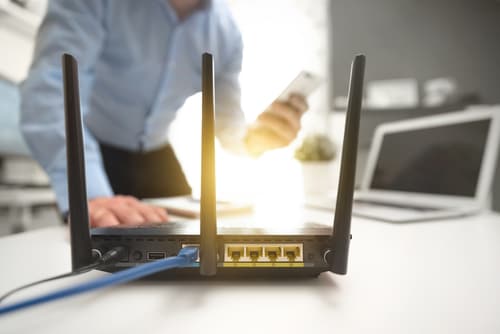
A common error in any home network installation is hiding networking equipment out of sight. Tucking a router behind a television or stuffing it into a metal cabinet severely restricts the signal. Physical barriers like brick, plasterboard, and concrete block radio wave transmission.
Environmental interference further degrades your signal strength. Kitchen appliances like microwaves or even neighboring Wi-Fi signals disrupt your frequency. To improve wifi coverage, you need to rethink your physical layout.
Centralizing the router on the main floor creates an optimal line of sight for your devices. Map out the property to determine the best locations for additional access points.
Router Placement Tips
- Keep your main router at least three feet off the ground on a non-metallic shelf to maximize broadcast range.
- Avoid placing access points near large mirrors, as the metallic backing reflects and scatters Wi-Fi signals.
- Stagger mesh nodes across different floors to create an overlapping coverage umbrella.
Mistake 3: Neglecting Network Security and IoT Vulnerabilities

Leaving default passwords and basic encryption settings active is a massive liability. Your smart home network is only as secure as its weakest link. Hackers actively target vulnerable IoT gadgets and security cameras left on the primary network.
Implement strong network security best practices by segmenting your traffic. Setting up a dedicated guest network setup or utilizing VLANs keeps your smart home hardware isolated from your personal computers.
Update your firmware regularly and change the default admin credentials immediately after unboxing. Activating WPA3 encryption builds a mandatory foundation of safety, bridging the gap between everyday convenience and strict data protection.
DIY vs Professional Home Network Setup
Handling your own network configuration saves money upfront and offers a hands-on learning experience. However, hiring an expert guarantees optimal performance, clean cabling, and enterprise-grade security protocols.
Pros
Cost Savings
Eliminates expensive hourly installation labor costs.
Control
Provides total personal control over your hardware choices and settings.
Cons
Time Commitment
Requires significant technical research and troubleshooting time.
Security Risks
Risks improper configuration that leaves the system open to cyber attacks.
Why Relying Entirely on Wireless is a Massive Setup Mistake

A truly high-performance system relies heavily on the invisible backbone of physical wiring. Understanding structured cabling benefits changes how you approach connectivity. Relying entirely on Wi-Fi for everything creates massive bottlenecks.
Hardwiring bandwidth-heavy devices like gaming consoles, streaming televisions, and desktop computers frees up the wireless spectrum. This wired vs wireless network approach stabilizes your overall speed. Offloading this heavy traffic improves the Wi-Fi performance for your mobile phones and tablets.
When executing your ethernet cable selection, skip older Cat5 options. Running Cat6 or Cat6a cabling provides massive future-proofing for multi-gigabit speeds. Adding centralized network switches perfectly routes this physical traffic, creating a professional-grade environment.
Fix Your Home Network Setup with Main Line Sound and Video
Building a reliable system requires ditching standard ISP routers, strategically placing access points, and relying on physical cabling for heavy bandwidth devices. Taking the time to secure your smart home network protects your family from digital threats. Skip the frustration of endless buffering and visit Main Line Sound & Video for an expert upgrade. Our appliance and electronics experts provide professional installation, local customer service, and showroom guidance you will not find at a big-box store.
Frequently Asked Questions about Home Network Setup
Costs range from $200 for basic hardware upgrades to over $2,000 for comprehensive structured cabling and enterprise-grade access points. Investing in quality hardware upfront prevents expensive troubleshooting and premature replacements down the line.
Select a router based on your total square footage, internet plan speed, and the number of connected devices in the household. High-capacity Wi-Fi 6 models handle simultaneous streaming and gaming far better than budget options.
The optimal location is a central, elevated position on the first floor to allow the omnidirectional antennas to broadcast evenly outward and upward. This central placement minimizes the number of walls the signal must penetrate.
A mesh network uses intelligent, interconnected nodes to create a single continuous network name, while an extender simply grabs an existing signal and rebroadcasts it on a separate channel. Mesh systems actively route your device to the fastest node, whereas extenders halve your bandwidth.
Cat6a cables support 10 Gigabit speeds over longer distances than standard Cat6, making them the superior choice for future-proofing large properties. While Cat6 is sufficient for average homes today, Cat6a prevents the need to tear open walls for future upgrades.
Isolate all internet-connected appliances and cameras onto a secondary guest network so they cannot access your primary computers. This segmentation prevents a compromised smart bulb or thermostat from exposing your sensitive financial data.
Why Trust Main Line Sound & Video?
When it comes to designing and installing home entertainment and smart home systems, trust is essential. Main Line Sound & Video has built a reputation for reliability and expertise throughout the Main Line and surrounding areas. As a family-owned business with over 20 years of experience, they prioritize personalized service, ensuring each system is tailored to your home and lifestyle. Their team of certified professionals uses top-quality products and industry best practices, delivering flawless installations and ongoing support. From initial consultation to system optimization, Main Line Sound & Video combines technical expertise with a commitment to customer satisfaction you can depend on.